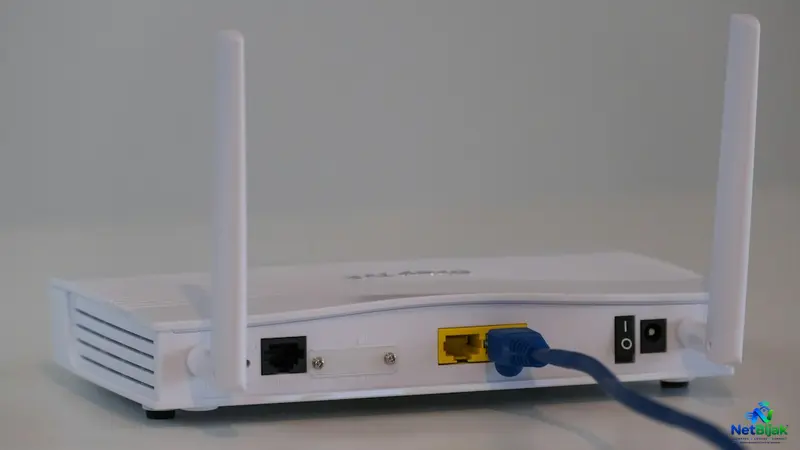
Setting Up a Guest WiFi Network to Secure Your Home Smart Devices
Securing your home network is essential as smart devices become more common in Malaysian households. By using your router's Guest WiFi feature, you can effectively isolate less-trusted IoT gadgets from your critical devices like laptops and printers. This network segmentation limits the potential damage if a smart device is compromised, preventing attackers from moving laterally through your network. While a simple Guest network works for basic setups, it is important to remember that some devices, like local smart hubs or NVRs, may still require specific access to function correctly. Advanced users with complex smart home ecosystems might consider using VLANs for more granular control over these connections. Ultimately, taking these steps provides a vital security boundary for your digital home.
A cheap smart plug or IP camera does not need access to your laptop, NAS or home printer. Putting less-trusted IoT devices on a separate Guest WiFi network can limit what a compromised device can reach inside your home network.
Why Put Smart Devices on a Separate Network?
Many homes put everything on one LAN:
Phone → Laptop → NAS → Printer → Smart TV → IP Camera → Smart Plug
Once everything shares the same local network, a device that is compromised can potentially communicate with other devices on that network.
Network segmentation reduces this exposure by placing different groups of devices into separate network segments. CISA specifically recommends separating IoT networks from more critical networks because segmentation can limit the ability of an attacker or malware to move between devices. (CISA)
The FTC similarly recommends putting IP cameras on a separate network from computers and printers. (FTC)
That is the practical reason to create an IoT or Guest network.
Guest WiFi Is Not Just for Visitors
Most home routers already have a Guest Network feature.
It creates another WiFi network with its own SSID and, on routers that support proper guest isolation, prevents clients on that network from accessing devices on the main LAN.
For example:
| Main Network | Guest / IoT Network |
| Family phones | Smart plugs |
| Laptops | Cheap smart bulbs |
| Desktop PCs | IP cameras |
| NAS | Smart speakers |
| Printers | Older IoT devices |
| Home server | Devices from unknown brands |
TP-Link's current Guest Network documentation provides an option controlling whether Guest clients can access the local network. When local access is disabled, Guest clients are prevented from communicating with devices on the main network. (TP-Link)
The exact terminology varies by router. Look for settings such as:
- Allow Guest to Access My Local Network
- Local Network Access
- Guest Network Isolation
- Client Isolation
- AP Isolation
- IoT Network
Do Not Confuse Guest Isolation With AP Isolation
These settings are related, but they are not identical.
Guest Network: puts clients into a separate network and can prevent them from reaching the main LAN.
AP / Client Isolation: prevents devices connected to the same WiFi network from communicating directly with each other.
TP-Link's current documentation describes AP isolation as preventing devices on the same WiFi network from communicating with one another, while a Guest Network separates the guest network from the main network. (TP-Link)
For an IoT security setup, the important setting is isolation from your Main LAN.
Do not assume that enabling AP Isolation alone creates a separate subnet.
A Simple Smart Home Layout
For a typical home, the network can be divided like this:
The objective is simple:
Your laptop can access the NAS.
Your smart plug does not need access to the NAS.
Your IP camera does not need access to your laptop.
Your Guest/IoT devices should normally only need Internet access and whatever explicitly required local services you allow.
That is a much more useful security boundary than putting every device behind the same WiFi password.
What Happens If an IoT Camera Is Compromised?
Network isolation does not make the camera secure.
If the camera has an unpatched vulnerability, weak password or insecure software, an attacker may still compromise it.
The purpose of segmentation is to limit the blast radius.
Without segmentation:
Compromised Camera → Main LAN → Other Devices
With proper Guest/IoT isolation:
Compromised Camera → Guest/IoT Network → Main LAN blocked
CISA identifies limited network segmentation as a risk because an unsegmented IoT environment can make lateral movement between networks easier.
This is why isolation matters even when an IoT device itself cannot be fully trusted.
Which Devices Should Go on the Guest / IoT Network?
A good candidate is any device that:
- does not need to access your PC
- does not need to access your NAS
- does not need to access your Printer
- only needs Internet access
- comes from a vendor you do not fully trust
- has limited firmware-update support
- is difficult to monitor
Examples include:
Smart plugs, smart bulbs, inexpensive IP cameras, WiFi switches, older smart appliances and some smart speakers.
IP cameras deserve particular attention. The FTC notes that many IP cameras have security risks and recommends placing cameras on a separate network from computers and printers. (FTC)
But Some Smart Home Devices Need Local Access
This is where blindly putting everything on Guest WiFi can break your Smart Home.
For example, you may have:
- a phone controlling a local smart device
- a Home Assistant server communicating with sensors
- an NVR accessing IP cameras
- a NAS recording camera footage
- a smart speaker discovering devices on the LAN
If the Guest network blocks access to the Main LAN, these connections may stop working.
That is not a network failure.
The isolation is doing exactly what you configured it to do.
Before moving a device, identify whether it needs:
Internet only
or
Internet + access to specific devices on your LAN.
If the latter is required, a proper IoT VLAN with firewall rules is more flexible than a basic Guest Network.
Guest Network vs IoT VLAN
A Guest Network is the simple option.
An IoT VLAN is the more controlled option.
| Feature | Guest Network | IoT VLAN |
| Setup difficulty | Low | Higher |
| Separate network | Usually | Yes |
| Separate subnet | Usually | Yes |
| Firewall rules | Limited | Much more flexible |
| Suitable for basic IoT isolation | Yes | Yes |
| Allow camera → NVR only | Usually difficult | Possible |
| Allow IoT → Home Assistant only | Router-dependent | Possible |
| Best for | Typical home users | Advanced users |
CISA describes VLANs and firewall/ACL-based segmentation as ways to create more granular logical separation.
You do not need VLANs just because you own a few smart plugs.
But once the home has many cameras, Home Assistant, NAS, NVR or multiple IoT ecosystems, VLAN-based segmentation becomes much more useful.
Check Your Router Before Creating the Network
Do not assume that a button labelled Guest WiFi automatically provides the isolation you need.
Check the router's settings for:
- Guest network / IoT network
- Access to local network
- Client isolation
- AP isolation
- Internet-only mode
- Separate subnet or DHCP scope
For example, TP-Link's current Guest Network documentation specifically provides a setting for allowing or blocking access to the local network.
Some newer routers also provide a dedicated IoT Network rather than requiring users to repurpose Guest WiFi. TP-Link's current documentation describes this as a separate network for devices such as smart lights and cameras. (TP-Link IoT Network)
The feature name is less important than the actual network behaviour.
Do Not Use Isolation as an Excuse to Ignore Device Security
A separate network reduces lateral access. It does not fix vulnerable hardware.
For smart plugs and cameras, still:
- change default passwords
- install firmware updates
- use unique passwords
- enable MFA where available
- disable unnecessary remote-management features
- remove devices that are no longer supported
The FTC recommends changing default credentials, keeping devices updated and disabling features that are not needed. (FTC)
For IP cameras specifically, the FTC recommends strong unique passwords, current software and checking access logs for suspicious activity. (FTC)
A Practical Home Setup
For most households, you do not need an enterprise firewall to get started.
A sensible arrangement is:
| Network | Devices | Local access |
| Main WiFi | Phones, laptops, PCs | Full trusted LAN |
| IoT / Guest WiFi | Smart plugs, bulbs, basic IoT | Block Main LAN |
| Camera Network | IP cameras | Restrict to NVR if required |
| Wired LAN | NAS, PCs, NVR | Trusted devices |
If your router only supports a basic Guest Network, start there.
If you later need rules such as:
Camera → NVR: Allow
Camera → Laptop: Block
IoT → Home Assistant: Allow
IoT → NAS: Block
then you have moved beyond what a simple Guest Network can comfortably provide. A VLAN-capable router/firewall is the appropriate next step.
NetBijak’s Take
A Guest WiFi network is useful for more than visitors. It can create a simple security boundary between less-trusted IoT devices and the devices that actually contain your personal data.
For a basic home, put smart plugs, inexpensive cameras and similar IoT devices on an isolated Guest/IoT network with Main LAN access disabled. If your Smart Home needs selective communication between cameras, NVR, Home Assistant and other devices, move to VLAN and firewall rules instead of putting everything back onto the Main LAN.
Frequently Asked Questions
Yes, if the router's Guest Network actually isolates clients from the Main LAN. Check the router settings rather than assuming that every Guest WiFi implementation works the same way.
No. It reduces what the camera can reach if it is compromised. It does not make the camera itself secure. Keep its firmware updated and use a unique password.
It depends on how the router implements Guest isolation. If Guest clients cannot access the Main LAN, an app that relies on local LAN discovery or direct local communication may stop working.
Not automatically. Devices that need to communicate with Home Assistant, an NVR, NAS or other local services may require controlled LAN access. A dedicated IoT VLAN provides more flexibility.
No. Guest WiFi is a router feature that normally provides network separation. VLANs provide more granular logical segmentation and allow firewall rules between different network segments.
No. AP Isolation prevents clients on the same WiFi network from communicating with each other. A Guest Network can additionally separate those clients from the Main LAN.
Related Articles
 Article
Two terrace houses next to each other, one occupied by parents and the other by relatives. Instead o...
 Article
If your smart home has 50 or more connected devices, upgrading to 1Gbps is not automatically the sol...
 Article
TP-Link has introduced Wi-Fi 8 in Malaysia, but the important part is not the headline speed.At its ...
 News
NewsMore than 5,000 people gathering inside one venue can expose a networking problem that a normal home...
 Article
If you already have 1Gbps or 2Gbps Fibre, WiFi 7 can help remove the wireless bottleneck — but upgra...
 Article
Why Does TikTok Make Netflix Freeze?If your Netflix stream freezes whenever the kids start scrolling...