What Causes Random Broadband Disconnections (Intermittent Lag)?
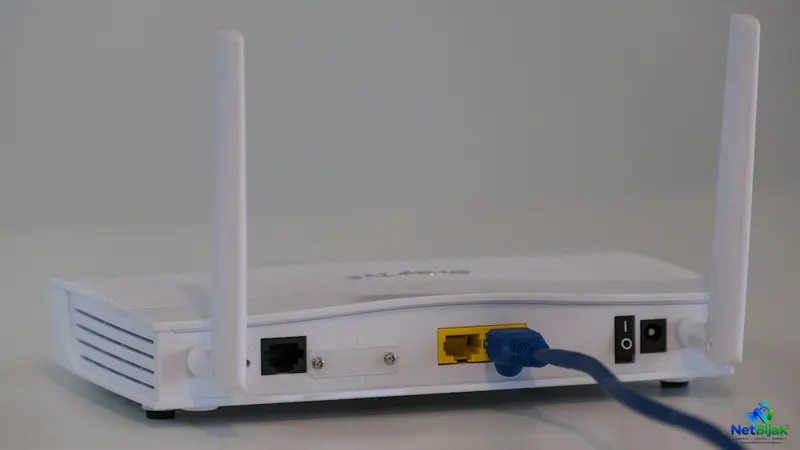
Intermittent broadband disconnections often originate from hardware issues within your home rather than the ISP’s network infrastructure. Key causes include contaminated fibre connectors, which can disrupt light signals, and ONT overheating due to poor ventilation. Additionally, an unstable power adapter may cause your equipment to restart randomly, leading to persistent connection drops. By observing the LED lights on your ONT during an outage, you can pinpoint whether the issue is optical, thermal, or power-related. It is advisable to address these local factors before assuming your broadband plan or ISP is at fault. Troubleshooting these common hardware points can often resolve your connectivity issues without requiring a service upgrade.
Your broadband works normally for an hour, then suddenly disconnects for a few seconds or minutes before recovering. Sometimes it happens several times a day.
This is intermittent connectivity, and the cause may be inside the house rather than the ISP network.
Three often-overlooked areas are worth checking:
- Fibre connector contamination
- ONT/ONU overheating
- Unstable power supply
1. Dirty or Contaminated Fibre Connectors
A fibre connection depends on a very small optical interface. Dust, dirt, oil and other contaminants on the connector end-face can reduce the amount of light reaching the other side and create reflections. Corning states that contamination can cause insertion loss and back reflections that may lead to system instability. (Corning)
CommScope describes contamination as one of the most common causes of optical loss and warns that even microscopic particles can affect the fibre core. (CommScope)
In Malaysia, dust, humidity and mould around poorly ventilated or exposed telecom equipment can also become an environmental warning sign. IEC guidance notes that high humidity and warm conditions support fungal growth on optical cable materials, while NTT has documented mould occurrence in telecommunications equipment and facilities under persistently humid conditions. (IEC; NTT Technical Review)
Do not interpret visible mould automatically as proof that the fibre signal is failing. The more important question is whether the optical connector itself is contaminated or damaged.
What to do
Do not repeatedly unplug and reconnect the fibre connector.
Have the ISP technician inspect the connector end-face and optical levels. Fibre manufacturers recommend proper cleaning and inspection before connectors are mated. (Corning)
A dirty connector should be cleaned with the correct fibre-optic cleaning equipment, not wiped with a normal tissue.
2. ONT Overheating
Your ONT/ONU is an active optical device. It needs proper ventilation.
Huawei's ONT troubleshooting documentation includes a specific ONT temperature alarm and states that an ONT operating outside its normal temperature range may not work properly. Its recommended action is to ensure normal temperature and good ventilation. (Huawei)
A poorly ventilated installation can therefore create an intermittent fault pattern:
Normal operation → temperature rises → device becomes unstable/restarts → connection returns after cooling
This is especially worth checking when the ONT is:
- Inside a closed cabinet
- Stacked on another heat-producing device
- Exposed to direct afternoon heat
- Covered by objects
- Installed in a poorly ventilated utility area
Do not assume the ONT is “reducing speed because it is hot”. A more defensible symptom is abnormal operation or repeated restarting when the temperature becomes excessive.
What to check
Move the ONT to a ventilated position and leave space around its vents.
Then observe whether the disconnections are more frequent during hotter periods of the day.
If the ONT repeatedly restarts even after improving ventilation, it may need to be tested or replaced.
3. An Unstable Power Adapter
The power adapter is easy to overlook because the ONT can appear completely normal most of the time.
Huawei's ONU troubleshooting guide specifically lists unstable power voltage as a possible cause when an ONU repeatedly restarts and recommends ensuring that the ONU's power supply is normal. (Huawei)
The same principle applies to routers and other network equipment. TP-Link lists unstable power, faulty adapters and overheating among common causes of repeated router reboots. (TP-Link)
A failing adapter can produce a particularly confusing symptom:
Internet drops → ONT/router appears to recover by itself → Internet works again
The fibre line may be perfectly healthy.
What to check
Use the original power adapter supplied for the device.
Check that the replacement adapter, if any, matches the required voltage, current and connector specification. TP-Link specifically warns that mismatched power specifications can cause unstable operation. (TP-Link)
Also try another electrical socket.
Do not randomly substitute an adapter just because the plug fits.
How to Tell Which One Is Causing the Drop
Look at the pattern rather than only the speed test result.
| Symptom | Possible cause |
| ONT shows optical/LOS-related problem | Fibre path / connector / optical signal |
| Connection becomes unstable after long operation | ONT overheating |
| ONT or router suddenly restarts | Power adapter / power supply / overheating |
| Problem occurs more often in hot afternoons | Thermal issue |
| Cleaning/reseating fibre connector changes the problem | Optical contamination or connection issue |
| Ethernet and Wi-Fi fail at the same time | Router/ONT/uplink/power issue |
| Only Wi-Fi devices disconnect | Local Wi-Fi problem rather than fibre |
The most useful test is to check the ONT LEDs during the actual outage.
If the ONT loses optical synchronisation, the ISP should investigate the fibre path and optical levels.
If the ONT completely restarts, investigate power and thermal conditions first.
If the ONT remains stable but only Wi-Fi devices disconnect, the problem may be somewhere downstream of the fibre connection.
Don't Start by Changing the Broadband Plan
Intermittent disconnections do not automatically mean you need a faster package.
A 500Mbps connection that repeatedly drops to zero for several seconds is still a fault even if a speed test shows 500Mbps when the connection happens to be working.
Before changing plans, establish whether the problem is:
Optical → ONT → Power → Router → Wi-Fi
That fault boundary matters more than the advertised broadband speed.
When to Ask the ISP for a Fibre Check
Contact the ISP when:
- The ONT repeatedly loses optical synchronisation
- The LOS indicator appears during the outage
- The connection drops even with a wired Ethernet test
- The ONT has already been given adequate ventilation
- The power adapter has been checked
- The problem continues after local equipment checks
Ask the technician to check the optical receive/transmit levels, connector condition and ONT stability, rather than simply requesting a router restart.
Huawei's troubleshooting documentation uses optical signal levels and ONU restart behaviour to distinguish fibre-path problems from customer-side equipment faults. (Huawei)
NetBijak's Take
Random disconnections are easier to troubleshoot when you stop treating every outage as an ISP speed problem. Check the fibre connector, ONT temperature and power adapter before replacing the whole network setup. A dirty optical interface, overheating ONT or unstable power supply can all produce intermittent symptoms that disappear before a technician arrives.
Frequently Asked Questions
Yes. Contamination on an optical connector can increase insertion loss and reflections and may cause unstable optical performance.
Yes. Huawei documents ONT temperature alarms and states that an ONT outside its normal temperature range may not operate properly.
Yes. An unstable power supply can cause an ONU/ONT or router to restart, interrupting the internet connection. Huawei specifically identifies unstable power voltage as a possible cause of repeated ONU restarts.
Do not use tissue, cotton buds or household cleaning products. Fibre connectors should be cleaned using appropriate fibre-optic cleaning equipment and inspected before being connected.
Test the connection with Ethernet while the problem is occurring. If Ethernet also disconnects and the ONT shows an optical problem, investigate the fibre side. If Ethernet remains stable while Wi-Fi devices disconnect, focus on the local wireless network.
Excessive ambient temperature can affect ONT operation. Huawei recommends keeping an ONT within its normal temperature range and providing good ventilation.
Not necessarily. If the ONT itself is losing optical synchronisation or rebooting, replacing the Wi-Fi router will not fix the underlying problem. Check the ONT, fibre connection and power supply first.
Related Articles
 Article
A microwave starts in the kitchen and the living-room Wi-Fi suddenly becomes unstable. In many cases...
 Article
If your ping becomes unstable after the router has been running for a long time, a reboot is worth t...
 Article
When overseas websites suddenly become slow but Malaysian websites and your local speed test still l...
 Article
If your Unifi Internet is slow or not working, check for an outage first, check your equipment and i...
 Article
Why Is My Internet Slow?A slow Internet connection does not necessarily mean that your broadband pla...
 Article
Including fibre broadband in the rent can make a rental property easier to market. The problem start...