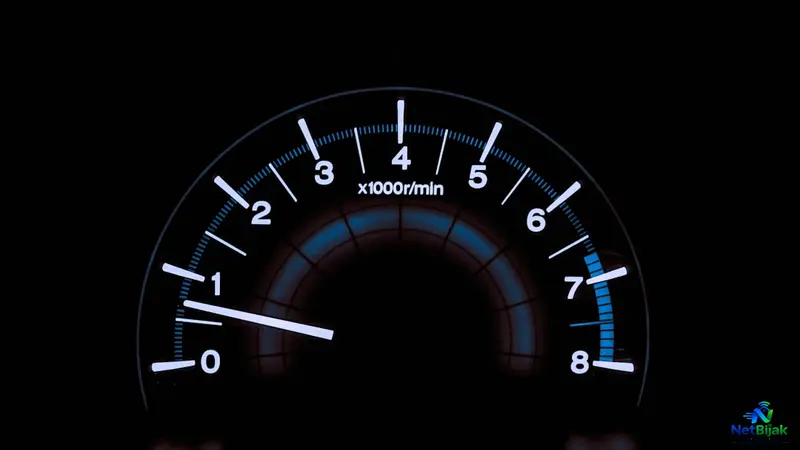
Broadband Speed Test Result
Running a broadband speed test provides more than just a single download speed figure, as it encompasses several vital metrics like upload speed, latency, and jitter. Understanding these components is essential to knowing how your connection will perform during specific activities, such as gaming, video conferencing, or large file transfers. While high download speeds are great for media consumption, low latency and stability are often more important for interactive, real-time applications. Users should also remember that factors like server location, network congestion, and the difference between megabits and megabytes can influence test results. By interpreting these numbers correctly, you can gain a clearer picture of your internet’s actual capability. Ultimately, a speed test serves as a snapshot of your network’s performance rather than a definitive measure of every application's speed.
Broadband Speed Test Result: What Are the Numbers Telling You?
A broadband speed test gives you several numbers, but download speed alone does not tell the whole story.
Most tests show at least:
Download Mbps
Upload Mbps
Ping or Latency
Jitter
Each measures something different.
A connection with 500Mbps download speed but high latency can still feel slow during online calls or interactive applications. Likewise, a connection with lower download speed may be perfectly adequate if your household mainly browses the web and watches video.
The right way to read a speed test is to understand what each measurement represents.
1. Download Speed
Download speed measures how quickly data can travel from the internet to your device.
It is normally displayed in Mbps (megabits per second).
This is the number most people notice because it affects activities such as:
- Downloading large files
- Installing games and software
- Loading high-resolution media
- Downloading photos and videos
- Updating devices
For example, a speed test showing:
Download: 500Mbps
means the connection achieved a measured data-transfer rate of approximately 500 megabits per second during that test.
Higher download speed is particularly useful when large amounts of data need to be transferred quickly.
It does not, however, mean every website or server will send data to you at 500Mbps.
The remote server, application and network path can also become the limiting factor.
2. Upload Speed
Upload speed measures how quickly data travels from your device to the internet.
It matters more than many users realise.
Upload performance affects activities such as:
- Sending large files
- Cloud backups
- Uploading videos
- Video conferencing
- Live streaming
- Sending high-resolution photos
- Remote access to files or cameras
For example, two broadband plans might both advertise similar download speeds but have very different upload performance.
A household that regularly uploads large files may notice that difference much more than a household that mainly consumes content.
So when comparing plans, do not look only at the download number.
3. Ping and Latency
Ping, commonly expressed in milliseconds (ms), measures the time it takes for data to travel between your device and the test server and return.
This is different from bandwidth.
A connection can have very high download speed but still have relatively high latency.
Latency is particularly important for applications where the timing of communication matters, including:
- Online gaming
- Video calls
- Remote desktop
- Interactive cloud applications
- Real-time communication
In general, a lower ping means less delay.
For example:
Ping: 8ms
usually indicates a very responsive connection to that particular test server.
Ping: 80ms
has considerably more delay.
However, there is no single “good ping” number for every situation because the result also depends on the location of the test server.
Testing against a nearby Malaysian or regional server can produce a very different latency result from testing against a server in Europe or the United States.
That means Ping should always be interpreted together with the server location.
4. What Is Jitter?
Jitter measures how much the latency of your connection varies over time.
This is different from average Ping.
For example, imagine a connection where individual packets experience:
10ms → 11ms → 10ms → 12ms
The latency is relatively stable.
Another connection might produce:
8ms → 35ms → 12ms → 60ms
Even though the average may not look dramatic, the large variation can make interactive applications feel unstable.
High jitter can be noticeable during:
- Voice calls
- Video conferencing
- Online gaming
- Other real-time applications
For these uses, a stable connection can be more important than simply having a very high download speed.
5. Mbps vs MB/s
One of the most common sources of confusion is the difference between Mbps and MB/s.
Broadband plans normally use:
Mbps = megabits per second
Some download applications use:
MB/s = megabytes per second
There are 8 bits in 1 byte.
So the theoretical conversion is:
| Broadband Speed | Approximate Equivalent |
| 100Mbps | 12.5MB/s |
| 300Mbps | 37.5MB/s |
| 500Mbps | 62.5MB/s |
| 1Gbps | 125MB/s |
| 2Gbps | 250MB/s |
These are mathematical conversions.
Actual file-download speeds can be lower because of protocol overhead, server limitations, storage performance and other factors.
For example:
35MB/s ≈ 280Mbps
So seeing a download application display 35MB/s on a 300Mbps connection does not mean the connection is only running at 35Mbps.
6. Why Can Two Speed Tests Produce Different Results?
It is normal for two tests to produce different numbers.
A speed test measures the connection at a particular moment and against a particular test server.
Results can change because of:
Test server location
A nearby server generally has a different network path from a server in another country.
Network conditions
Internet traffic changes throughout the day.
Server load
The selected speed-test server also has its own capacity and traffic conditions.
Measurement method
Different speed-test services may use different test infrastructure and methodologies.
Because of this, a result such as:
487Mbps
followed by:
512Mbps
does not automatically mean something is wrong.
The difference between individual measurements should be considered in context rather than treated as a fault by itself.
7. What Does a Speed Test Tell You About Your Internet?
A speed test is best understood as a snapshot of network performance, not a measurement of how fast every application will operate.
For example:
| Speed Test Result | What It Tells You |
| High Download | Strong data-receiving capacity |
| High Upload | Strong data-sending capacity |
| Low Ping | Lower network delay |
| High Ping | Greater network delay |
| Low Jitter | More stable latency |
| High Jitter | More variable latency |
This is why two connections with similar download speeds can still feel different in everyday use.
One may have better latency and stability, while another may prioritise raw download capacity.
8. Which Result Matters Most?
That depends on what you do online.
Mainly streaming and web browsing
Download speed is usually the most relevant measurement.
Frequently uploading large files
Pay closer attention to upload speed.
Online gaming
Ping and jitter become much more important because these applications are sensitive to delay and variation.
Video calls and remote work
Download and upload both matter, but latency and connection stability also affect the experience.
Large downloads and software updates
Higher download bandwidth can significantly reduce transfer time.
There is therefore no single speed-test number that defines whether an internet connection is “good”.
The useful question is:
Good for what?
9. Does a Higher Mbps Number Always Mean Faster Internet?
Not necessarily.
Suppose one connection records:
900Mbps download, 50ms ping
and another records:
500Mbps download, 8ms ping
For a large file download, the 900Mbps connection has an obvious bandwidth advantage.
For an interactive application, however, the lower-latency connection may feel more responsive.
This is why broadband performance should not be reduced to one headline number.
Bandwidth determines how much data can move.
Latency measures delay.
Jitter measures consistency of that delay.
They describe different parts of the connection.
10. How to Read Your Speed Test at a Glance
When looking at a finished speed test, read the result in this order:
1. Download Mbps
How much data can the connection receive.
2. Upload Mbps
How much data can the connection send.
3. Ping / Latency
How much delay exists between your device and the test server.
4. Jitter
How consistent that latency is.
Then consider whether those numbers match the type of internet activity you actually use.
A household that mainly watches video may care much more about download capacity.
A gamer or heavy video-calling user may notice latency and jitter more quickly.
Someone who regularly backs up large files to the cloud may care strongly about upload speed.
NetBijak’s Take
A speed test is more than the big Mbps number displayed on the screen.
Download tells you about receiving data.
Upload tells you about sending data.
Ping tells you about delay.
Jitter tells you how consistent that delay is.
The most useful result depends on what you actually do online.
For heavy downloads, bandwidth matters.
For gaming and real-time communication, latency and stability matter much more.
That is why a good broadband connection should not be judged by download speed alone.
Related Articles
 Article
If you regularly download large files through BitTorrent, your broadband speed is only part of the e...
 Article
Your broadband speed test is only useful if you test the Fibre connection properly first. A 500Mbps ...
 Article
100Mbps vs 300Mbps: Which Broadband Speed Do You Need?The choice between 100Mbps and 300Mbps is main...
 Article
Across many countries, telecommunications operators are gradually moving away from traditional coppe...
 Article
Your broadband works normally for an hour, then suddenly disconnects for a few seconds or minutes be...
 Article
Including fibre broadband in the rent can make a rental property easier to market. The problem start...