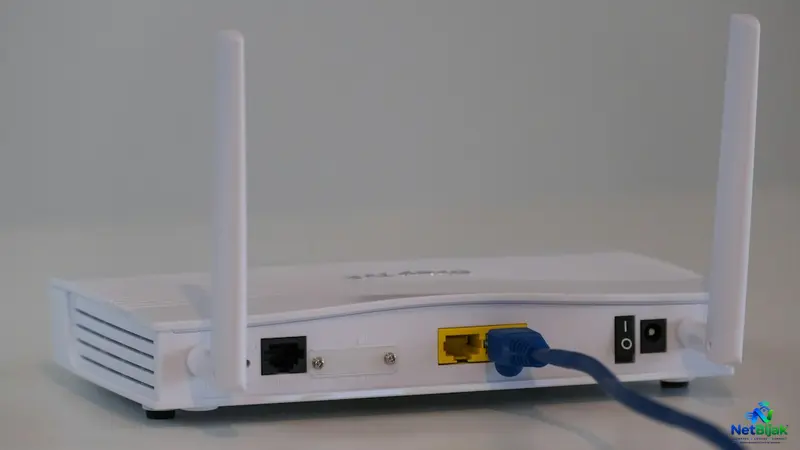
Home Broadband for Heavy P2P Torrent Downloaders in Malaysia
For heavy torrent users in Malaysia, understanding your ISP’s specific traffic management policy is just as important as having a high-speed fiber plan. While some providers like Maxis and TIME explicitly outline P2P throttling or usage restrictions, others treat such traffic on a best-effort basis. Beyond your ISP, achieving optimal download speeds requires attention to technical details like port forwarding and peer reachability. Simply enabling protocol encryption is not a privacy shield, nor is it a guaranteed speed boost. By configuring a fixed local IP and setting up proper port forwarding, you can ensure your torrent client connects to the widest possible range of peers. Ultimately, treating your home network setup with care ensures you get the performance you pay for when downloading authorized large files.
If you regularly download large files through BitTorrent, your broadband speed is only part of the equation.
The bigger issues are whether your ISP manages P2P traffic, whether your torrent client can receive incoming connections, and whether your home connection is behind CGNAT.
For legal torrents such as Linux distributions, open-source software, public-domain files and other content you are authorised to download, these network settings can make a noticeable difference.
Malaysian ISPs Do Not All Handle P2P the Same Way
Do not assume that every “unlimited” fibre plan treats BitTorrent identically.
Maxis is unusually explicit: its current Fibre Fair Usage Policy says it throttles peer-to-peer file sharing during peak periods, and that P2P performance is provided on a best-effort basis. (Maxis)
TIME takes a different approach: its current Usage Policy states that customers must not use software or applications for peer-to-peer or file sharing where they may involve very large data transfers or cause network congestion, and says TIME may control identified heavy-usage customers. (TIME)
Unifi's current general Home Broadband terms do not describe a specific BitTorrent throttling rule. Its current terms, effective 26 August 2026, state that Unifi Home fibre plans are generally provided with unlimited Internet quota, while an earlier official Unifi FAQ lists running applications such as BitTorrent as one factor that can affect Internet speed. (Unifi) (Unifi FAQ)
The practical takeaway is simple:
Do not treat “unlimited broadband” as proof that P2P traffic is completely unrestricted.
Check the ISP's current terms before building your setup around heavy torrent use.
Why P2P Can Behave Differently From a Normal Download
BitTorrent does not work like downloading one file from one HTTP server.
The BitTorrent protocol is designed around multiple peers exchanging pieces of the same file, with connections operating over TCP or µTP. (BitTorrent BEP 3)
That means a torrent client may maintain many simultaneous peer connections.
Your download speed can therefore depend on:
| Factor | Why it matters |
| ISP traffic policy | P2P may be throttled or treated differently |
| Peer availability | More reachable peers can improve swarm connectivity |
| Incoming connections | NAT can prevent peers from reaching your client |
| Upload capacity | You are also participating in the swarm |
| Client settings | Connection limits and protocol settings affect behaviour |
| Network congestion | Other traffic competes for the same broadband capacity |
The last few rows are often more important than simply buying a faster fibre package.
Protocol Encryption: What It Actually Does
BitTorrent has a mechanism known as Message Stream Encryption (MSE), designed to make BitTorrent traffic harder for network equipment to identify through simple protocol inspection. The BitTorrent specification explicitly says the mechanism was intended to make BitTorrent connections harder to identify and disrupt. (BitTorrent BEP 8)
Modern qBittorrent exposes three encryption choices:
- Allow encryption
- Require encryption
- Disable encryption
These options are part of qBittorrent's current interface. (qBittorrent)
Which setting should you use?
For troubleshooting P2P performance, Allow encryption is the safer starting point.
It allows encrypted connections when peers support them without excluding peers that do not.
Require encryption can reduce the number of peers you can connect to because connections that do not support encryption are rejected.
That is a trade-off, not a free performance upgrade.
Protocol encryption also is not the same as anonymity or a VPN. The BitTorrent specification explicitly describes MSE as an obfuscation mechanism rather than a system designed to provide strong confidentiality against unlimited observation. (BitTorrent BEP 8)
So do not use “Enable encryption” as shorthand for “my torrent activity is private”.
Port Forwarding Is About Incoming Peers
The other important setting is your listening port.
qBittorrent documents a listening port specifically for incoming connections and supports UPnP/NAT-PMP port forwarding through the router. (qBittorrent)
Without an inbound path, your client can still make outbound connections, but peers may have difficulty initiating connections back to you when your router's NAT blocks unsolicited inbound traffic.
That does not mean:
Port Forwarding = automatically faster downloads
It means:
Port Forwarding = better inbound reachability when the network supports it
For a busy torrent swarm, that can improve the pool of peers your client can communicate with.
How to Set Up Port Forwarding
The exact menu depends on your router, but the logic is the same.
1. Give the torrent PC a fixed local IP
Use DHCP reservation or another method so the device keeps the same LAN address.
This prevents your forwarding rule from pointing to the wrong computer later.
TP-Link's port-forwarding documentation specifically recommends assigning or reserving a stable local IP for the target device. (TP-Link)
2. Set a fixed listening port in qBittorrent
In Tools → Options → Connection, set the listening port.
Do not keep changing it randomly between startups if you want a permanent port-forwarding rule. qBittorrent's documentation notes that using a different port on each startup defeats a fixed forwarding setup. (qBittorrent)
3. Create the forwarding rule on your router
The rule needs:
External port → internal port → local IP address → protocol
TP-Link describes the same structure for its Virtual Server / Port Forwarding feature. (TP-Link)
Do not forward a random range of ports just because “more open ports means more peers”.
Forward the port your torrent client actually uses.
4. Check your firewall
Your computer's firewall must also allow the torrent application or listening port.
An open router port is useless if the PC itself rejects the incoming connection.
5. Check whether the connection is actually reachable
qBittorrent exposes the listening-port configuration and connection status so you can determine whether the client is accepting incoming connections. (qBittorrent)
The CGNAT Problem
This is where many home users get stuck.
You can configure the router perfectly and still have zero inbound connectivity if your ISP places you behind Carrier-Grade NAT.
TP-Link's current port-forwarding documentation states that if the router receives a private WAN IP, another NAT device exists upstream; with CGNAT, port forwarding over the Internet will not work unless the necessary public addressing is available. (TP-Link)
So check the WAN address shown in your router.
If the router's WAN IP does not match the public IP seen from the Internet, there may be another NAT layer between you and the Internet.
In that situation, repeatedly changing the port-forwarding rule on your home router will not solve the problem.
You need to determine whether your ISP provides a usable public IPv4 address or another supported inbound-connectivity option.
Port Forwarding Has a Security Cost
Opening an inbound port means allowing traffic from the Internet to reach the selected device.
That is why you should forward only the required torrent listening port, not place the PC in the DMZ or expose unnecessary management services.
TP-Link's port-forwarding documentation describes forwarding a specific port to a specific internal IP, rather than exposing the whole device. (TP-Link)
Also keep the operating system firewall enabled.
Port forwarding is a networking function, not a reason to disable basic host security.
Do You Need a Faster Fibre Plan?
Not necessarily.
If a torrent client is already capable of saturating your current broadband connection, increasing the package speed can help.
But if downloads remain slow because:
- the ISP throttles P2P;
- the torrent has few healthy peers;
- your client is behind restrictive NAT;
- upload or connection limits are poorly configured;
- or the source swarm itself is slow;
then a faster fibre plan may not produce the expected improvement.
This is why a 1Gbps connection can still have a disappointing torrent download, while another user on a slower plan may perform better on a healthy swarm.
A Better Setup for Heavy P2P Users
For a legal high-volume torrent workload, the useful configuration is straightforward:
| Setting | Practical approach |
| ISP policy | Check whether P2P is throttled, restricted or treated as best-effort |
| Encryption | Start with Allow encryption |
| Listening port | Use one stable port |
| Local IP | Reserve the torrent PC's LAN address |
| Port forwarding | Forward only the listening port |
| CGNAT | Verify that inbound IPv4 is actually possible |
| Firewall | Keep the PC protected |
| Router | Avoid unnecessary DMZ exposure |
| Speed plan | Upgrade only when broadband capacity is the actual bottleneck |
NetBijak's Take
For heavy BitTorrent use in Malaysia, the ISP policy matters before the router settings.
Maxis explicitly says it throttles P2P during peak periods, while TIME's current usage policy places peer-to-peer/file-sharing use under its unacceptable-use rules. (Maxis) (TIME)
If your ISP permits your use, then the two technical settings worth checking are encryption behaviour and inbound connectivity. Protocol encryption can make BitTorrent traffic harder to identify, while port forwarding gives the client a path for incoming peer connections. Neither one guarantees higher download speed.
The biggest practical check is CGNAT. If your connection cannot accept inbound traffic from the Internet, a perfectly configured port-forwarding rule on the home router will not change that.
Frequently Asked Questions
It can make BitTorrent traffic harder to identify using simple protocol inspection, but it does not guarantee that an ISP's traffic-management system will stop limiting P2P. The BitTorrent MSE specification describes the mechanism as increasing the difficulty of protocol identification, not as a guaranteed method of defeating network controls.
Start with Allow encryption. qBittorrent supports Allow, Require and Disable encryption; requiring encryption can exclude peers that do not support encrypted connections.
It can improve incoming peer reachability when your network permits inbound connections, but it does not guarantee higher download speed. qBittorrent documents the listening port as the port used for incoming connections.
Check three things: the torrent PC's local IP, the router forwarding rule, and the router's WAN IP. If the WAN IP is private or behind CGNAT, inbound port forwarding may not work over the Internet.
No. Use the listening port configured by your torrent client rather than opening a large unnecessary range. qBittorrent supports a specific listening port for incoming connections.
Not through the home router alone. If the router is receiving a private WAN address behind CGNAT, the upstream NAT prevents unsolicited inbound connections from reaching your network.
No. BitTorrent performance also depends on peer availability, ISP traffic policy, NAT reachability, client settings and the health of the swarm.
No. Maxis explicitly states that its Fibre Fair Usage Policy throttles P2P during peak periods despite its unlimited-data plans.
No. BitTorrent is a file-distribution protocol. The legality depends on what content is being distributed and whether you have the necessary rights to use or distribute it. The BitTorrent protocol specification itself describes the technology as a method for distributing files.
Related Articles
 Article
Broadband Speed Test Result: What Are the Numbers Telling You?A broadband speed test gives you sever...
 Article
Your broadband speed test is only useful if you test the Fibre connection properly first. A 500Mbps ...
 Article
100Mbps vs 300Mbps: Which Broadband Speed Do You Need?The choice between 100Mbps and 300Mbps is main...
 Article
Across many countries, telecommunications operators are gradually moving away from traditional coppe...
 Article
Your broadband works normally for an hour, then suddenly disconnects for a few seconds or minutes be...
 Article
Including fibre broadband in the rent can make a rental property easier to market. The problem start...