 Unifi
Unifi
Unifi Home 300Mbps PrimePromo-New Application
3 Months Waiver
🎁 Promotion
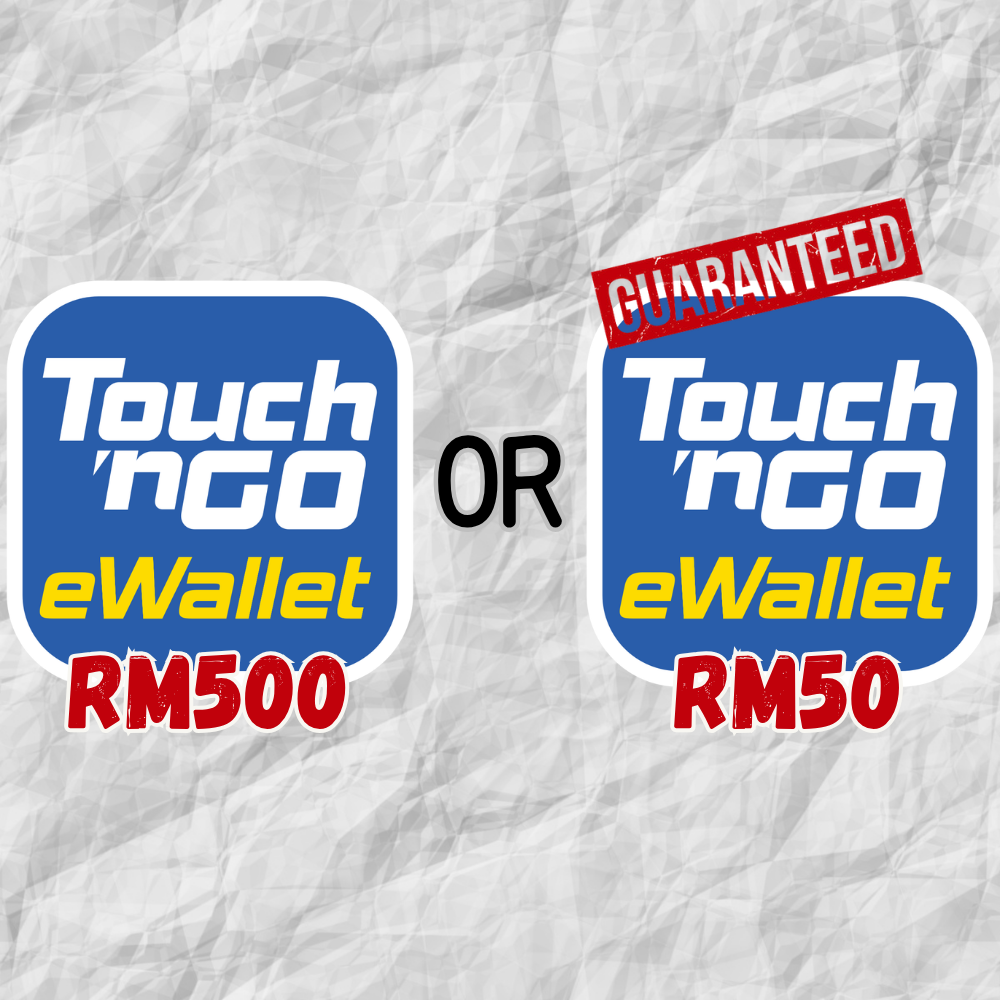
Get a FREE Touch and GO Pin
RM500
When You apply via NetBijak.com*
Or Get Guaranteed RM50 Touch and Go Pin
🔥 Limited-Time Exclusive Offer: Apply for 300Mbps Fiber (Maxis, CelcomDigi or Unifi) & Get Up to RM500 Touch 'n Go e-Wallet Credit!
Looking to upgrade your home internet? Choose your preferred network—Maxis, CelcomDigi, or TM Unifi—and apply exclusively for their 300Mbps Fiber plan via Netbijak.com to enjoy ultra-fast speeds and guaranteed rewards! This exclusive deal is only available here—not through any other agents or the official telco websites!
🎁 Prize Breakdown (Combined Across All Telcos)
- 🌟 Grand Prize (RM500 TnG e-Wallet Pin): Limited edition! Exactly the 100th, 200th, 300th, 400th, and 500th successful and verified installations (combined across Maxis, CelcomDigi, and Unifi) during the campaign period will win RM500! (Strictly limited to 5 winners total).
- 🛡️ Guaranteed Prize (RM50 TnG e-Wallet Pin): Everyone wins! Qualified applicants who don't win the Grand Prize are guaranteed to receive RM50 as long as they meet the eligibility criteria!
📋 How to Participate (3 Simple Steps)
- Campaign Period: From 15th September 2026 to 31st October 2026.
- Exclusive Application: Choose your 300Mbps plan from Maxis, CelcomDigi, or Unifi and submit your application exclusively through Netbijak.com.
- Successful Installation: Ensure your fiber is successfully installed and activated by the respective telco by 30th November 2026.
⚠️ Important Campaign Notes:
- To qualify for the reward, the subscriber's broadband account must remain active and in good standing for a continuous period of 6 months (180 days) from the installation date, with no cancellations, plan downgrades, or overdue payments.
- Rewards will be distributed after the successful completion of the 6-month verification and data reconciliation period with the respective telcos.
- Subject to Terms & Conditions.
🎁 Promotion FAQ
No. Each qualified applicant is entitled to one Promotion Gift only, regardless of how many applications or participating Telcos they subscribe to. This applies even if you successfully subscribe to more than one 300Mbps plan from Maxis, CelcomDigi or TM Unifi.
The RM500 Grand Prize is awarded to the 100th, 200th, 300th, 400th and 500th successful and verified installations, calculated collectively across Maxis, CelcomDigi and TM Unifi. The Organiser determines the ranking using the application timestamp recorded on Netbijak.com together with the official installation and activation confirmation from the relevant Telco.
If you meet all eligibility requirements but are not selected for the RM500 Grand Prize, you will receive the RM50 Touch 'n Go e-Wallet Pin as the Guaranteed Prize, subject to successful verification. Each qualified applicant can receive only one Promotion Gift.
The reward is not issued immediately after installation. Your account must first complete the required 180-calendar-day holding period and pass verification with the relevant Telco. After the account status and campaign eligibility have been verified, the Organiser will send the gift claim instructions and Touch 'n Go Pin to your registered email address or mobile number. The Organiser may require up to 180 working days after the successful installation and activation month to complete data reconciliation and verification.
Yes. Installation alone does not guarantee the reward. Your account must remain active and in good standing during the required six-month holding period, with no cancellation, termination, downgrade, overdue payment or blacklist status. The Organiser may also withhold or forfeit the reward if the Telco claws back the related sales commission for any reason.
Quick Verdict
Unifi Home 300Mbps PrimePromo is aimed at households where several users regularly use the connection at the same time. At 300Mbps download and 50Mbps upload, it provides considerably more headroom for streaming, video calls, gaming and large downloads than an entry-level plan.
The trade-off is the 27-month minimum subscription period. The three-month waiver reduces the effective cost, but it does not shorten the commitment.
Cost & Contract Breakdown
The current PrimePromo price for Unifi Home 300Mbps is RM129/month after discount, compared with the stated normal price of RM139/month. The campaign provides three months of free broadband monthly charges and describes the RM129 rate as a Lifetime Discounted Price.
The contract is structured as 24 months + 3 months, giving the PrimePromo a 27-month minimum subscription period. The three-month waiver is applied from the service activation date and applies to the broadband monthly charges, excluding add-ons.
Math Breakdown
| Item / Calculation / Amount | ||
| Promotional price | — | RM129/month |
| Normal price | — | RM139/month |
| Free broadband period | — | 3 months |
| Minimum subscription period | 24 + 3 months | 27 months |
| Paid months | 27 − 3 | 24 months |
| Total broadband subscription | 24 × RM129 | RM3,096 |
| Effective cost over 27 months | RM3,096 ÷ 27 | RM114.67/month |
So the promotion works out to:
24 × RM129 = RM3,096
RM3,096 ÷ 27 = RM114.67/month effective cost
The RM114.67 figure is an effective promotional subscription rate, not a standard monthly bill amount. Add-ons are excluded from the three-month waiver, and the first bill can contain prorated charges depending on the activation and billing dates.
The 27-Month Contract Matters
The promotional period should not be confused with the contract period.
You receive three months of broadband charges waived, but you still have to serve the full 27-month minimum subscription period.
If you terminate during the minimum subscription period, Unifi's PrimePromo terms state that an early termination penalty based on the Campaign Package fee for the remaining months will apply, including applicable add-ons.
For example, using the RM129 campaign package fee:
15 remaining months × RM129 = RM1,935
This is an illustrative calculation based on the campaign fee. The actual amount should be confirmed against your account and applicable Unifi terms before termination.
Performance & MCMC 90% Benchmark
Unifi's current PrimePromo specification for this tier is:
300Mbps download / 50Mbps upload.
Using the 90% Fibre throughput benchmark:
300Mbps × 90% = 270Mbps
That gives 270Mbps download as a useful reference point when assessing a properly tested connection.
However, this should not be interpreted as meaning that every Wi-Fi speed test below 270Mbps automatically proves an ISP fault.
Your home speed test measures the entire connection between the test device and the test server. The result can be affected by:
- Wi-Fi signal strength
- 5GHz channel congestion
- Router placement
- Device capability
- Ethernet port limitations
- Network cable problems
- Other active devices
- Test-server conditions
For a meaningful assessment of the fibre connection, use a wired Gigabit Ethernet connection and repeat the test under controlled conditions.
Why 300Mbps Exposes Weak Wi-Fi
A 300Mbps subscription is fast enough that the broadband connection may no longer be the weakest part of the chain.
For example:
300Mbps fibre → Wi-Fi router → weak 5GHz signal → laptop
The fibre line can be operating correctly while the laptop still records a much lower speed.
This is why upgrading from 100Mbps to 300Mbps does not guarantee a proportional improvement on every device.
Hardware & Technical Traps
Gigabit Ethernet is essential for wired testing
A 300Mbps plan should be tested through a Gigabit Ethernet connection.
If any part of the wired path is limited to 100Mbps:
300Mbps broadband → 100Mbps Ethernet bottleneck
The device will not be able to properly measure the full 300Mbps service.
This can happen with older PCs, USB Ethernet adapters, switches or routers.
Cat5e is sufficient
You do not need Cat6 simply because the broadband plan is 300Mbps.
A properly installed Cat5e cable supports Gigabit Ethernet, which provides more than enough capacity for a 300Mbps internet connection.
Cat6 is useful for new structured cabling and future-proofing, but replacing a functioning Cat5e cable should not be the first troubleshooting step.
Wi-Fi 6 is capable, but coverage still matters
The PrimePromo package includes a Wi-Fi 6 Combo Box.
That is sufficient hardware for a 300Mbps broadband connection.
But Wi-Fi 6 is a technology standard, not a guarantee that every room will receive 300Mbps.
Actual performance depends on:
- Client device Wi-Fi capability
- 5GHz signal strength
- Distance from the router
- Walls and floor construction
- Interference from neighbouring networks
- Router placement
If a bedroom consistently receives poor Wi-Fi while a laptop next to the router reaches much higher speeds, the problem is probably home network coverage rather than broadband capacity.
The 300Mbps Upload Limitation
The 300Mbps headline refers to download speed. The official specification for this PrimePromo tier is 50Mbps upload.
For normal household use, the asymmetric 300/50Mbps configuration is logical because most consumer traffic is download-heavy.
It is well suited to:
- 4K video streaming
- Multiple simultaneous streams
- Video conferencing
- Online gaming
- Game downloads
- Software updates
- General multi-device usage
But the 50Mbps upload speed deserves attention if your household frequently:
- Uploads large video files
- Performs large cloud backups
- Uses a NAS remotely
- Livestreams
- Transfers large datasets
- Uploads large work files to cloud storage
If your workload is heavily upload-dependent, compare plans based on upload speed, not just the advertised download number.
Address-Level Reality
The availability of a 300Mbps package on Unifi's website does not guarantee that every individual unit can be connected immediately.
Unifi's PrimePromo terms explicitly state that the campaign is subject to TM infrastructure readiness and port availability at the customer's installation address.
This matters particularly in Malaysian high-rise properties.
An entire condominium may have Unifi service while an individual unit still faces an installation problem because of:
- No available port
- Building infrastructure limitations
- Internal fibre issues
- Existing access technology
- Installer access restrictions
FTTH vs Older Copper Infrastructure
For older apartments and condominiums, check what technology is actually available at the premises.
If broadband is delivered through an older copper-based VDSL arrangement rather than true FTTH, the access network itself can become the limiting factor.
A Wi-Fi 6 router cannot remove a physical limitation in the last-mile connection.
Therefore, for older high-rise residents, the relevant question is not simply:
“Is Unifi available in my building?”
It is:
“Can my exact unit receive the 300Mbps service over the required infrastructure?”
Who Should Get Unifi Home 300Mbps?
Good fit
- Medium-sized households
- Multiple simultaneous users
- Several streaming devices
- Frequent video conferencing
- Online gaming while other users are active
- Large game and software downloads
- Homes with many connected devices
- Users who want more bandwidth headroom than 100Mbps provides
Consider a different tier if:
- Only one or two people use the connection
- Most usage is basic browsing and standard streaming
- Your main problem is poor Wi-Fi coverage
- Your work requires substantial upload bandwidth
- You are unlikely to use 300Mbps regularly
If your existing 100Mbps plan already provides enough bandwidth but certain rooms have weak Wi-Fi, fixing the wireless network may be more effective than paying for a faster fibre package.
NetBijak’s Recommendation
The 300Mbps PrimePromo makes the most sense when your household actually needs additional simultaneous-use capacity.
The numbers are straightforward: RM129/month, three months of broadband charges waived, RM3,096 in subscription payments across the 27-month commitment, and an effective promotional cost of RM114.67/month before applicable taxes and additional charges.
The important trade-off is not the headline 300Mbps speed. It is the combination of 50Mbps upload, home Wi-Fi capability and the 27-month commitment.
For a household with several active users, 300Mbps gives useful headroom for streaming, gaming, video conferencing and large downloads.
For a smaller household, the upgrade from 100Mbps may not be noticeable if the existing problem is actually Wi-Fi coverage or outdated client hardware.
Before applying, verify the exact address and physical port availability, confirm that the installation can deliver the expected access technology, and check whether your main devices can actually take advantage of 300Mbps.
If your household is download-heavy and has several simultaneous users, 300Mbps is a sensible middle tier. If your workload is dominated by large uploads or professional cloud transfers, pay closer attention to the 50Mbps upload ceiling before committing to the plan.
Features
- Wi-Fi 6 Combo Box
- 3 Months Waiver
- Unlimited Data 300Mbps/50Mbps
- FAST & FREE Installation
Reviews of Unifi Home 300Mbps PrimePromo-New Application
Applied last week via NetBijak, customer service was helpful, waiting for my TnG pin after 6 months!