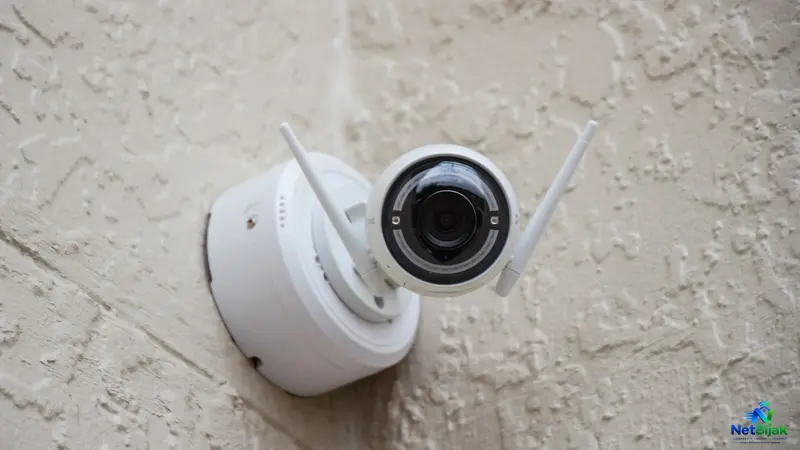
Best Broadband for Home CCTV Remote Monitoring in Malaysia
When choosing a broadband plan for home CCTV in Malaysia, prioritize upload speed over download speed, as remote viewing relies on the upload path from your home to the internet. While a 500Mbps download plan might seem impressive, you must check the specific upload capacity provided by your ISP, which can vary significantly between providers like Unifi and TIME. To manage bandwidth effectively, utilize your camera’s sub-stream setting for remote mobile viewing, reserving high-bitrate main streams for local recording on an NVR. For typical home setups with four cameras, an upload speed of 30 to 50Mbps is usually sufficient, while higher-resolution monitoring may require 50 to 100Mbps of headroom. Most residential users should rely on manufacturer P2P or cloud features for remote access, as these are easier to set up than traditional port forwarding and avoid issues caused by ISP-level CGNAT. Ultimately, your choice of broadband should be guided by the actual bitrate of your camera system rather than the highest advertised download speed.
If you are installing CCTV at home in Malaysia, upload speed matters more than the headline download speed when you want to watch your cameras remotely. A 500Mbps fibre plan can be more than enough for CCTV, but the actual requirement depends on camera bitrate, how many cameras are viewed simultaneously, and whether you use Main Stream, Sub-stream or cloud/P2P access.
How Much Upload Bandwidth Does a 4K CCTV Camera Need?
There is no single fixed bandwidth requirement for a 4K camera. The actual bitrate depends on resolution, frame rate, compression, scene activity and camera settings. Higher resolution and frame rate generally require more bandwidth, while stronger compression can reduce bitrate at the expense of image quality.
(Source: Axis — AXIS OS Web Interface Help)
For planning purposes, a typical home CCTV system might look like this:
| Stream Type | Example Per-Camera Bitrate | 4-Camera Total | Primary Use |
| Main Stream | 5–6Mbps | 20–24Mbps | High-quality recording |
| Sub-stream | ~1Mbps | ~4Mbps | Remote mobile viewing |
These are planning examples, not fixed camera specifications. Your actual bitrate can be significantly different depending on the camera model and configuration.
(Source: Axis — AXIS OS Web Interface Help)
What Does This Mean for Malaysian Fibre Users?
This is where your broadband plan's upload speed becomes important.
Many Malaysian users choose fibre based on the advertised download speed, such as 300Mbps, 500Mbps or 1Gbps. But CCTV remote viewing uses the upload path from your home to the Internet.
For example, TM Unifi currently lists its 300Mbps Home plan with up to 50Mbps upload, while its 500Mbps plan provides up to 100Mbps upload. This means a 500Mbps plan does not simply provide “500Mbps for everything” — the upload side is a separate specification that matters for remote CCTV. (Source: Unifi — General FAQ / Unifi Home Package)
Other Malaysian fibre providers can have very different upload profiles. TIME, for example, currently lists 200Mbps with 200Mbps upload, while its 600Mbps and 1Gbps home plans offer 500Mbps upload. (Source: TIME — Our Fibre Network)
So when choosing broadband for CCTV in Malaysia, compare the upload speed — not just the download number on the plan.
Does 4K CCTV Always Use Your Internet Upload?
No.
If your cameras are recording to a local NVR, the normal recording path is:
Camera → Local Switch / LAN → NVR → Hard Drive
The Main Stream can therefore be recorded locally without sending the entire 4K video stream over the Internet.
Internet upload becomes important when someone:
- Opens the CCTV app remotely
- Watches live footage outside the home
- Plays back footage remotely
- Uses cloud recording or cloud-based services
- Connects through a remote monitoring platform
A four-camera system can therefore record high-quality footage locally while using relatively little Internet upload when nobody is remotely viewing the cameras.
Main Stream vs Sub-stream: The Key to Lower Upload Usage
Most modern IP cameras support multiple video streams.
Main Stream
Usually configured for higher resolution and bitrate. It is typically used for local NVR recording or high-quality playback.
Sub-stream
Uses a lower resolution and bitrate. It is commonly used for mobile remote viewing because it reduces bandwidth consumption.
This distinction can make a major difference.
If four cameras each transmit a 5Mbps Main Stream remotely:
4 × 5Mbps = 20Mbps
If the app instead uses a 1Mbps Sub-stream:
4 × 1Mbps = 4Mbps
A practical planning formula is:
CCTV Upload Requirement ≈ Total Bitrate of Simultaneous Remote Streams + Headroom
For example, a 20Mbps remote stream load would be more comfortable with around 25–30Mbps of usable upload capacity, rather than operating continuously at the connection limit.
What Broadband Speed Is Enough for Home CCTV in Malaysia?
For most home installations, the key question is not whether you need 500Mbps or 1Gbps download.
Look at the upload side.
Basic CCTV setup
If you mainly use:
- Local NVR recording
- Sub-stream for remote viewing
- 2–4 cameras
- Occasional mobile access
A fibre plan with around 30–50Mbps usable upload can already be workable, depending on the camera bitrate.
Higher-quality remote monitoring
If you regularly monitor:
- Multiple 4K cameras
- Several cameras simultaneously
- High-bitrate Main Streams
- Remote playback
Then having 50–100Mbps or more upload gives you substantially more headroom.
The important point is that the camera system should be designed around its actual bitrate rather than simply buying the fastest download plan available.
Do You Need a Static IP for Remote CCTV?
No.
A Static IP is useful, but it is not mandatory.
There are three concepts you need to understand:
- Public IPv4 — your router can be reached from the Internet.
- DDNS — gives your changing public IP a fixed hostname.
- CGNAT — puts multiple customers behind an ISP-level NAT, preventing normal inbound port forwarding.
If your ISP provides a changing but publicly reachable IPv4 address, DDNS can keep your CCTV hostname updated.
For example:
cctv.example.com → Your Current Public IP
However:
DDNS + CGNAT ≠ Direct Remote Access
DDNS can tell you what your public IP is. It cannot create inbound connectivity through an ISP-level CGNAT system.
(Source: TP-Link — Port Forwarding and CGNAT Troubleshooting)
DDNS + Port Forwarding vs Manufacturer P2P / Cloud
| Feature | DDNS + Port Forwarding | Manufacturer P2P / Cloud |
| Setup Complexity | Higher | Lower |
| Public IPv4 Needed | Usually yes | Often no |
| CGNAT | Not suitable for normal inbound forwarding | Often designed to work without inbound forwarding |
| Port Forwarding | Required | Usually not |
| Best For | Advanced users | Most residential users |
Manufacturer P2P services are designed differently from traditional DDNS + port forwarding. Many can establish remote connectivity without requiring you to expose the NVR directly through an inbound port, although the exact architecture depends on the manufacturer and service.
(Source: Hikvision — Hik-Connect Remote Access Specifications)
How to Set Up Home CCTV Remote Access
Step 1: Check Your Camera Bitrate
Open the camera or NVR settings and check:
- Resolution
- Frame rate
- Main Stream bitrate
- Sub-stream bitrate
- Number of cameras
Do not estimate bandwidth based only on the “4K” label.
Step 2: Test Your Actual Upload Speed
Run a speed test using a wired connection where possible.
If your broadband package advertises 50Mbps upload but your actual connection only delivers significantly less, your available CCTV headroom will also be lower.
Step 3: Check Whether You Have a Public IPv4
Compare the WAN IP shown on your router with the public IP shown by an external IP-check service.
If they differ, your router is behind another NAT layer. CGNAT is one possible explanation.
If the router WAN address falls within the 100.64.0.0/10 range, that is a strong indication of CGNAT.
(Source: TP-Link — Port Forwarding and CGNAT Troubleshooting)
Step 4: Choose the Right Remote Access Method
If you have a public IPv4 and understand networking:
DDNS + Port Forwarding
If your ISP uses CGNAT or you want a simpler setup:
Manufacturer P2P / Cloud
For advanced users who want tighter control over exposed services:
VPN-based remote access
Is CCTV Port Forwarding Safe?
Port forwarding is not automatically unsafe, but it increases your exposure to the public Internet.
If you use it:
- Forward only the ports actually required.
- Keep the NVR/camera firmware updated.
- Use strong, unique passwords.
- Avoid exposing unnecessary management services.
- Prefer encrypted access where supported.
- Consider VPN access instead of directly exposing the NVR.
Hikvision's own security guidance recommends minimising Internet-exposed ports and configuring port forwarding only when necessary.
(Source: Hikvision — Network Camera Security Guide)
What About 4G or 5G Backup?
A 4G/5G backup connection can keep remote CCTV accessible when your primary fibre connection fails.
However, mobile broadband frequently uses private or CGNAT addressing, which can make traditional inbound port forwarding difficult or impossible.
(Source: TP-Link — Port Forwarding and CGNAT Troubleshooting)
For this reason, manufacturer P2P/Cloud access is often the more practical option when CCTV needs to remain remotely accessible over a 4G/5G backup connection.
NetBijak's Take
For Malaysian homes, do not choose a broadband plan for CCTV based on download speed alone.
A better setup is:
4K Cameras → Local NVR (Main Stream) → Sub-stream for Mobile Viewing → Home Fibre → P2P/Cloud or DDNS
Before upgrading from 300Mbps to 500Mbps or 1Gbps, first check your ISP's actual upload speed, camera bitrate and remote viewing method.
For example, Unifi's current 300Mbps plan provides up to 50Mbps upload, while its 500Mbps plan provides up to 100Mbps. TIME's current residential plans can offer substantially higher upload speeds at comparable tiers. That difference can matter more to a multi-camera CCTV installation than another few hundred Mbps of download capacity. (Source: Unifi — Unifi Home Package; TIME — Our Fibre Network)
The right CCTV broadband plan is not the one with the biggest download number. It is the one that gives your cameras enough upload headroom and a remote-access architecture that actually works with your ISP's network.
Frequently Asked Questions
Yes. The more important number is the upload speed and actual camera bitrate. A 500Mbps download connection is more than sufficient for most home CCTV systems, but you should check how much upload bandwidth your specific plan provides.
No. The camera's 4K resolution does not mean your Internet connection needs 4K-level bandwidth. Local NVR recording can remain entirely inside your home network.
No. DDNS can keep a hostname pointing to your changing public IP, but it cannot bypass ISP-level CGNAT.
Not necessarily. A public dynamic IP combined with DDNS can work for traditional remote access. Manufacturer P2P services can also remove the need for direct inbound access in many installations.
Yes. Using a lower-bitrate Sub-stream for mobile viewing can dramatically reduce upload requirements while keeping the higher-quality Main Stream available for local recording.
Related Articles
 Article
If two Fibre plans offer the same 500Mbps speed, they can still perform differently because the netw...
 Article
If you are renting a house or apartment with other students, the cheapest broadband plan is not alwa...
 Article
When your Fibre goes down, a fast customer-service reply is not the same thing as getting your inter...
 Article
How to Choose the Right Broadband Plan for Your Home in MalaysiaThe right Broadband plan depends on ...
 Article
1. Compare Monthly Price Start with the obvious — how much does each plan cost per month? But don't ...
 Article
1. Understand Your Business Internet Needs Different businesses have very different internet require...